Set VCC Payroll mapping
Variance Comments use specific rules to map GL accounts to job codes and pay types. The VCC Payroll Mapping table sets JobCode/PayType combinations for each salary GL account number.
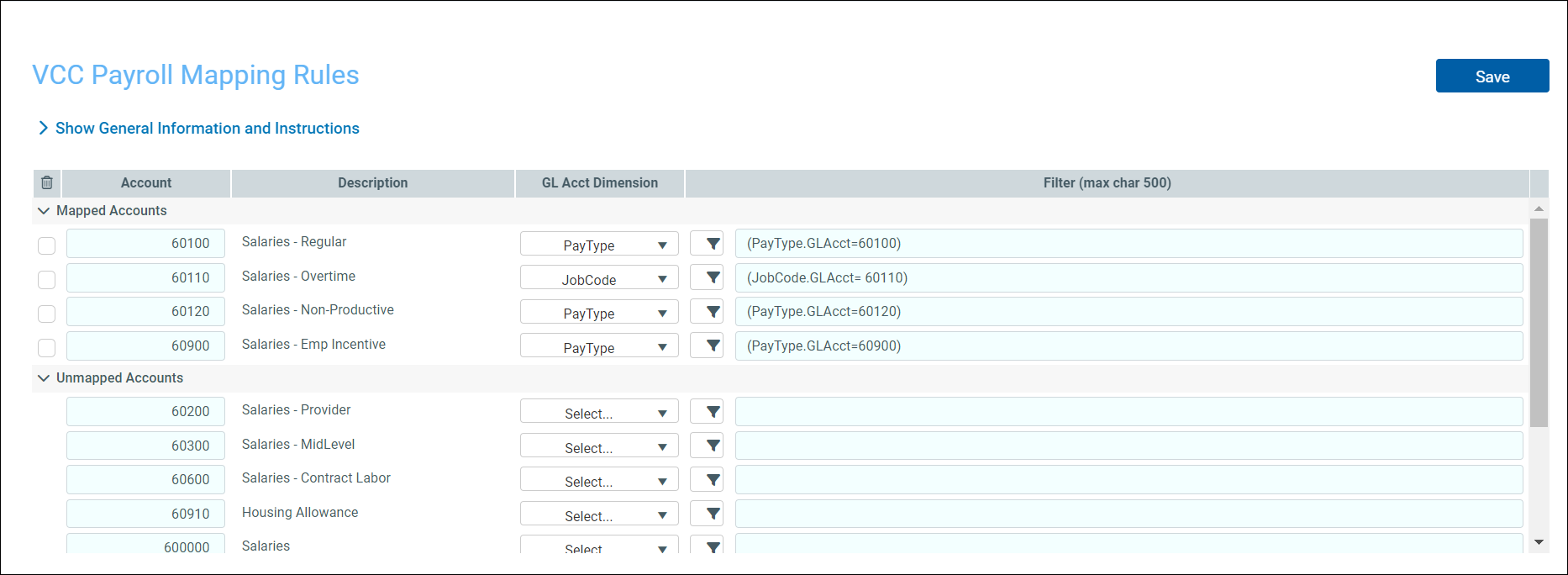
When you map any unmapped accounts, the system automatically moves it to the list of mapped accounts.
-
Go to Admin > Management Reporting Admin > Data Maintenance > Update VCC Payroll Mapping Table.
-
In Unmapped Accounts, select a GL Account Dimension to assign to the desired account.
-
Click Save.
NOTE: The filter populates from the GLAcct mapping in the GLAcct grouping column in the respective JobCode or PayType dimension.
- (Optional) To remove a mapped account, click the check box in trashcan column and click Save.
